Marketing
Internal Linking: How It Affects SEO and How to Do It Right
Internal linking is one of those SEO activities that costs next to nothing yet can boost your site's visibility in Google and improve the user experience. The trick is doing it thoughtfully. Read on to learn how to turn your site's internal structure into real growth in traffic and sales.
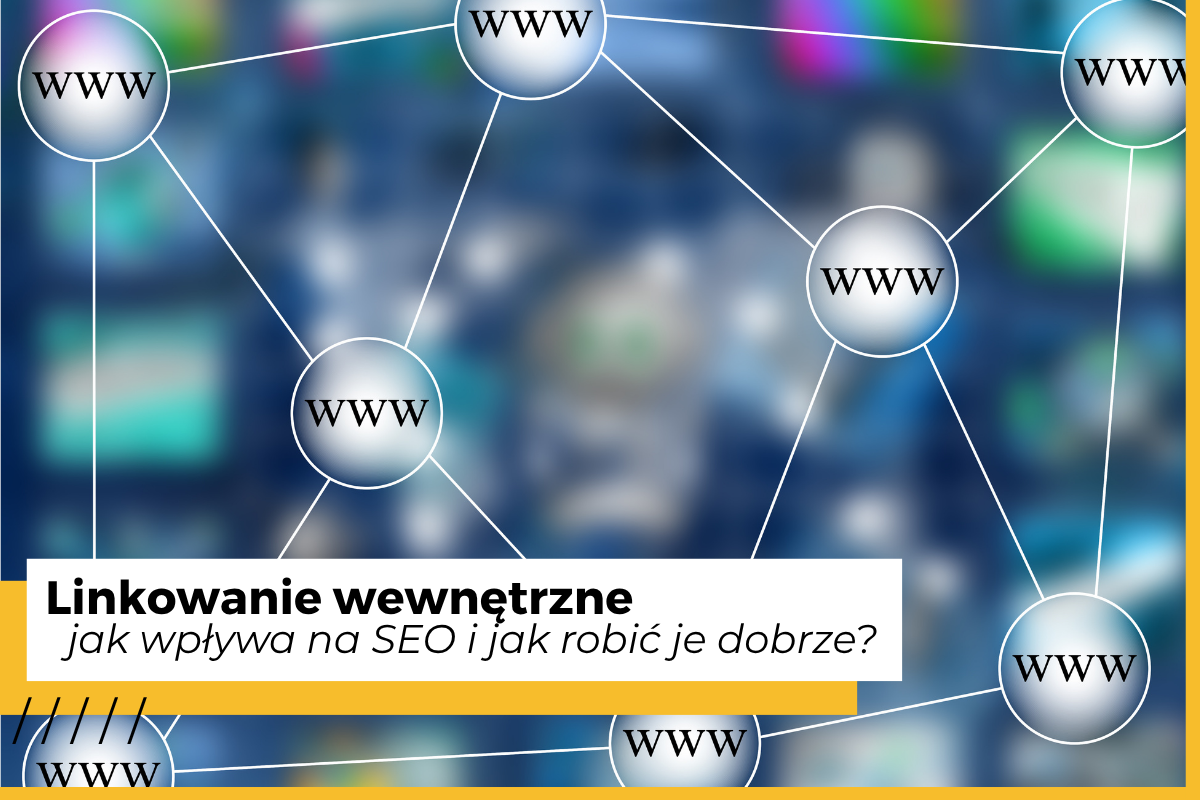
If you run a website or an online store and want more traffic from Google, internal linking should be high on your priority list. It's one of the simplest, easiest, and at the same time most effective ways to strengthen a site's visibility. And yet many companies treat it as an afterthought, or do it at random.
In this article, we explain what internal linking is, how it affects SEO, and how to implement it in a way that genuinely improves your results.
What is internal linking?
Internal linking means placing links on your website (hyperlinks) that point to other pages within the same domain.
This could be a link in the body text, in the menu, in the footer, in a product description, or in a "related articles" module.
Naturally, internal links also take the form of your menu, product carousels, or promotional banners pointing to a category. Another example? If a blog post about healthy eating links the reader to a recipes page, that's internal linking too.
These links are clickable for the user – you're offering them more content and pages that might interest them. As a result, they stay on your site longer, and you increase the chances of them deciding to get in touch or make a purchase. For Google, it's a signal that the pages you're connecting are topically related and should be evaluated in the context of the site as a whole.
How does internal linking affect SEO?
SEO (Search Engine Optimization) covers the actions that improve a site's visibility in search engines. Internal linking is one of the key SEO tools, because it affects:
- how Google crawls your site,
- which pages are considered more important,
- how well the site's topical structure is understood,
- how ranking "power" is distributed among pages.
How does internal linking affect SEO?
It helps Google understand your site's structure
Google's crawlers follow links the way you'd follow signposts. If your link structure is logical and well organized, the crawler reaches every part of your site faster. A lack of linking, or chaotic linking, leaves some pages effectively "hidden" from the algorithms.
This matters especially for large sites and stores with thousands of products – proper linking prevents wasted crawl budget.
It distributes so-called link equity (link juice)
No page exists in a vacuum. If one page has earned high authority – say, through external links, good-quality content, or popularity – it can "share" that value with other pages via internal links.
This is the mechanism that lets you strengthen new or less visible pages.
It increases user engagement
Well-designed internal linking guides the user through related content. They read one article, move on to the next, check out a product, go back to the category.
Longer engagement is a signal to Google that the content is valuable.
It supports keyword rankings
Anchor text tells Google what the linked page is about. If you link to a page about "running shoes" using exactly that kind of anchor, you're helping the algorithm classify it correctly.
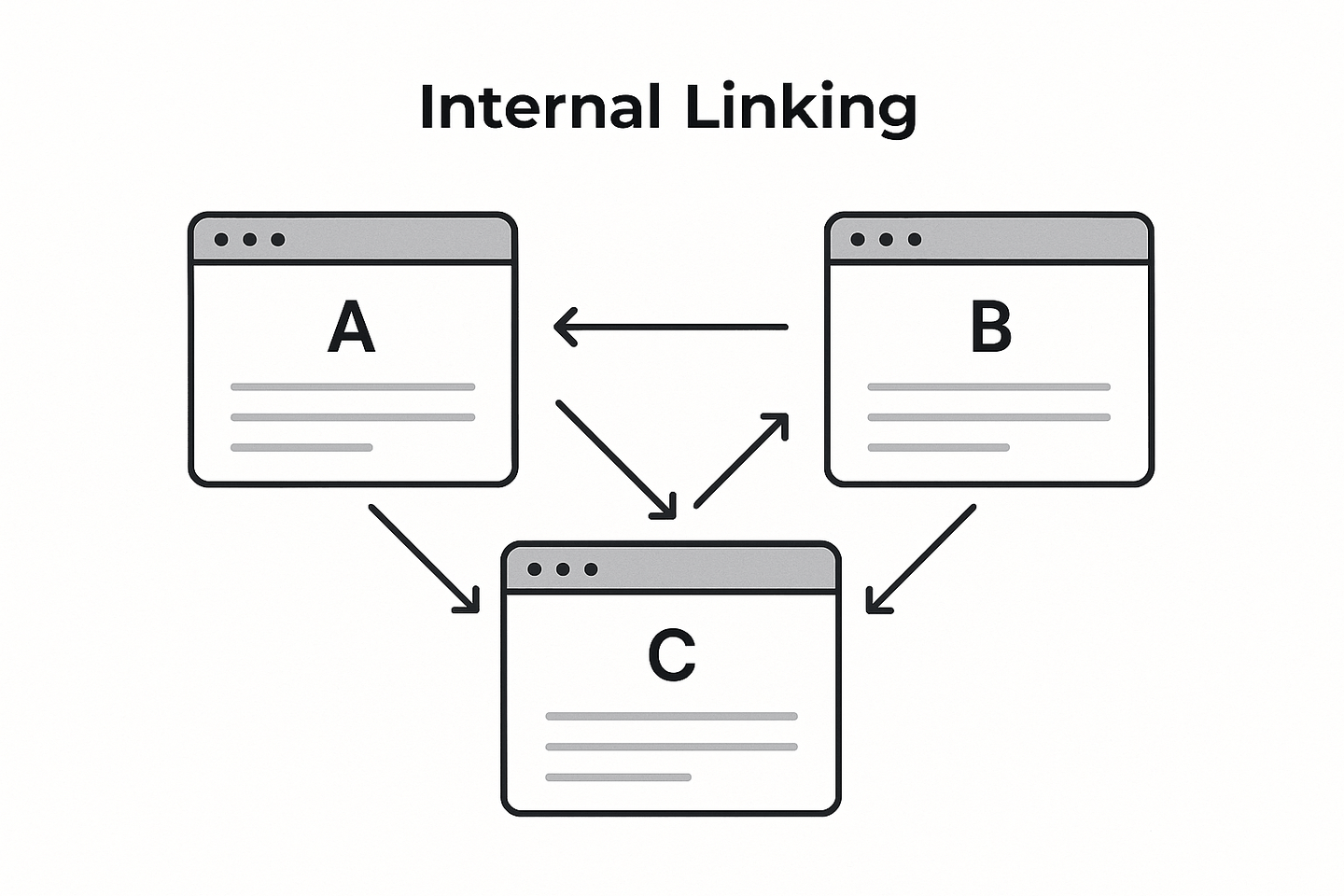
How do you link internally the right way?
Use descriptive, natural anchor text
Avoid vague text like "click here."
A better anchor describes the content of the linked page:
"See the full guide to internal linking." Google analyzes the link text – it's worth making that job easier for it.
Only link when it makes sense
Every link should have a reason to exist. If it doesn't add value, doesn't expand on the topic, or doesn't help the user, don't force it in.
Keep it in moderation
There's no perfect number of links per page, but in practice, a handful to a dozen or so links in a longer piece of text is a reasonable baseline.
Too many links weaken their value and distract the user.
Build topical content clusters (silos)
If you have thematic sections, link content within those same themes.
This strengthens the site's topical structure and helps build topical authority.
Link beyond your blog too
The blog is an ideal place for linking, but it's also worth directing users to:
- offer/service pages,
- product categories,
- products,
- contact forms,
- landing pages.
This translates into real conversions and increases traffic to key locations.
Internal linking in an online store
Linking from product descriptions
If a product has accessories or alternatives, link to them in the description. It's a natural way to improve both SEO and the user experience.
Links in categories and filters
Category pages can include short paragraphs of text with links to the most important pages, such as guides, bestsellers, or subcategories.
Breadcrumbs
Breadcrumbs are one of the most underrated elements of internal linking. They help users find their bearings, and they help Google understand the site's hierarchy.
A blog that supports sales
Blog articles are an ideal place to link to products and categories – especially in guides, roundups, and reviews.
What to avoid when linking internally
- Linking to pages that return a 404 error – this hurts SEO and frustrates users.
- Using an excessive variety of anchor text pointing to the same page – keep it consistent.
- Linking without context – links need to arise naturally from the content.
- Skipping over important pages – offer pages and converting pages need to be well linked.
How do you start linking effectively?
Start by planning your content structure. Decide which pages are key, which content should support other content, and which pages need reinforcing with additional links.
Every new piece of content should include a few links to older material – and the reverse is true too: go back to older content regularly to add links to newer pieces.
Most importantly: linking should primarily help the user, giving them paths to navigate the site. If you have an article about dog food, the reader might also be interested in an article about canine diets. From there, they might get interested in an article about digestive issues in dogs, or links to dietary products. SEO is simply the byproduct of doing this well.
Perhaps you already clicked on one of the links in this article? That's exactly how logical, contextual linking works – a user is naturally inclined to click a link to a page that will teach them more or spark their curiosity.
Internal linking mistakes – where they come from and how to fix them thoughtfully
Even the best-designed internal link structure can drift out of shape over time. A site grows, content changes, products get discontinued, and new ones take their place. That's why mistakes in internal linking are perfectly natural – the problem only arises when nobody keeps an eye on them.
Broken links are links that lead to places that no longer exist, that have changed address, or that no longer make sense in the context of the content they were placed in. In practice, we're talking about:
- links leading to 404, 403, or 401 pages,
- links leading to outdated pages (e.g. a product that no longer exists),
- links pointing to unused URLs (an old version of a page, a page that's been retired – though it's best to remove these or apply a noindex attribute for a temporary removal),
- orphaned links – links that point "one way" but have no links pointing back to them from anywhere else.
These are small details, but they can genuinely hurt both SEO and the user experience.
Where do linking errors come from? The most common causes
1. Changes to site structure or menus
Restructuring categories, adding a new section, or changing the content hierarchy often means old links stop pointing where they used to.
A typical case: migrating pages without updating the links inside articles.
2. URL updates
Changing a URL – even something minor, like adding a single word – automatically invalidates the links that pointed to it.
This is especially common for online stores and blogs, where address changes happen often.
3. Updating product or article titles
Most CMS platforms generate the URL based on the title. If the title changes, so does the address.
If you don't set up a redirect and update your links, dead or outdated links appear immediately.
4. Discontinuing a product or page
Seasonal products, discontinued services, outdated content – all of these can leave you still linking to pages that no longer exist or are no longer needed.
5. Automatic link generators
Some CMS platforms generate links dynamically (e.g. to "similar" products), but when a product disappears or gets moved, those links can linger in the system's memory.
6. Rapid content growth without link oversight
When a blog grows by 100+ posts a year, and a store by hundreds of products, internal linking often develops spontaneously and without a consistent strategy.
The result is "orphaned" pages that exist but have no links pointing to them.
How to fix linking errors – and do it sensibly
Fixing links isn't just about "swapping out a link in an article." The most effective approach involves three steps.
1. Run an internal link audit
First and foremost, you need to know where the errors are.
Useful tools for this analysis include:
- Screaming Frog,
- Ahrefs (the Internal Links + Broken Links section),
- Semrush,
- Google Search Console (indexing and error reports).
An audit lets you spot dead links, orphaned pages, incorrect anchor text, and elements that need attention.
2. Decide whether a link should be fixed or removed
It's worth fixing a link when it:
- led to content that still exists, just at a different address,
- concerned an important page (a product, an offer, a guide),
- was part of a topical silo.
It's worth removing a link when it:
- referred to content that shouldn't come back,
- led to a product that won't return to the catalog,
- pointed to a page of marginal importance.
Sometimes removing a link is better than creating artificial redirects. But if the context allows it, it's a great idea to swap a broken link for a working one on a similar topic.
A few extra rules for healthy linking (especially when fixing things)
- Don't overdo redirects – long 301 "chains" (e.g. A → B → C) slow things down and hurt SEO. Where possible, it's better to simply update the embedded link to the new one.
- Don't create redirects to pages that are completely unrelated topically – that's artificial and unnatural.
- If a product has been permanently discontinued, redirect it to the closest matching category, not to the homepage.
- Avoid duplicating the same anchor text for links pointing to different pages – it creates semantic confusion.
- Remember to update your blog regularly – older content is the best place for new links.
Summary
Good internal linking pays off heavily for SEO, and it's an action that supports natural user navigation around your site. An organized structure, sensible anchor text, strong topical silos, and regular cleanup are exactly what makes Google see your site as logical and valuable. So if you want to improve your visibility, strengthen key pages, and build a stronger market position, in our view, investing in internal linking is one of the best SEO moves you can make.
Need an analysis, an audit, a linking strategy, or SEO services? Click below or fill in the form: